
Case study 02 · Hero
Once it’s out of your head, it’s handled.
A desktop companion for people who run on too many tabs. Capture anything from any app in a couple of seconds — filed under the right client, with a note of where it came from. Then Hero carries it: into today, onto the board, into the reminder, the invoice and the meeting notes.
- Project
- Hero
- We built
- Windows desktop app + Chrome extension
- Timeframe
- Sept 2026 – Oct 2026
- Status
- Installed and in daily use

01 · The pain
Nineteen tabs and a client on the phone.
Information arrives through emails, calls, chats and screenshots while work is already underway. Hero brings captures and context into the same place, so the next action stays connected to the client and the work.
- The ask arrives by email, chat and phone — three places, no list.
- Notes copied into three apps and found in none.
- To-do apps that make you feel behind, so you stop opening them.
- The admin after the work: invoices, chasers, meeting notes.
The brief Capture from anywhere in seconds. File it under the right client. And don't hand me admin.
02 · How it works
Out of your head, into the right place.
Explore Hero running on Windows, in light mode.
Highlight. Capture. Gone.
Highlight text in any app and a Capture button appears where you are, or press a shortcut. It lands in the client you’re working on, with the app and window it came from.
Outlook — Re: logo feedback · Word — discovery notes.docx

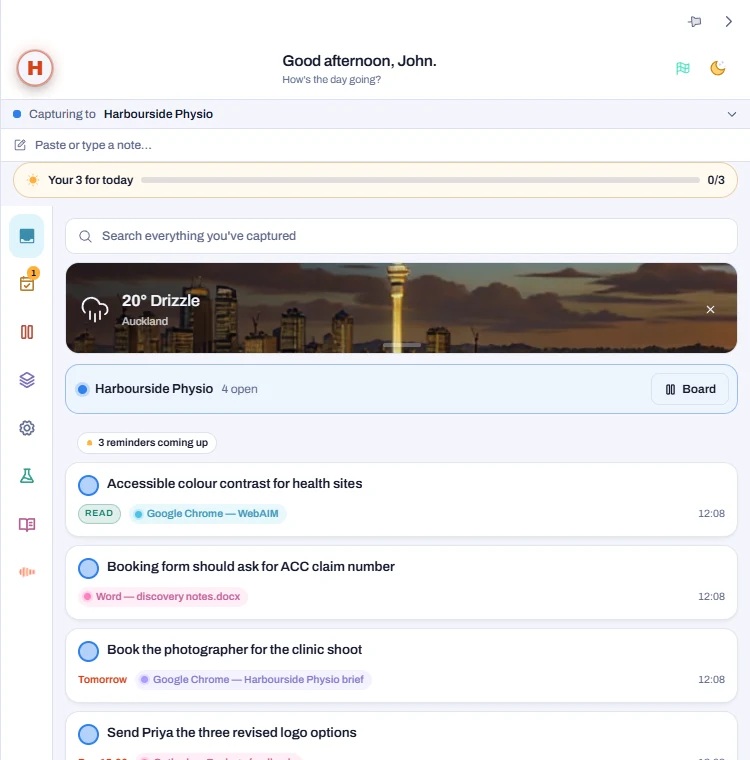
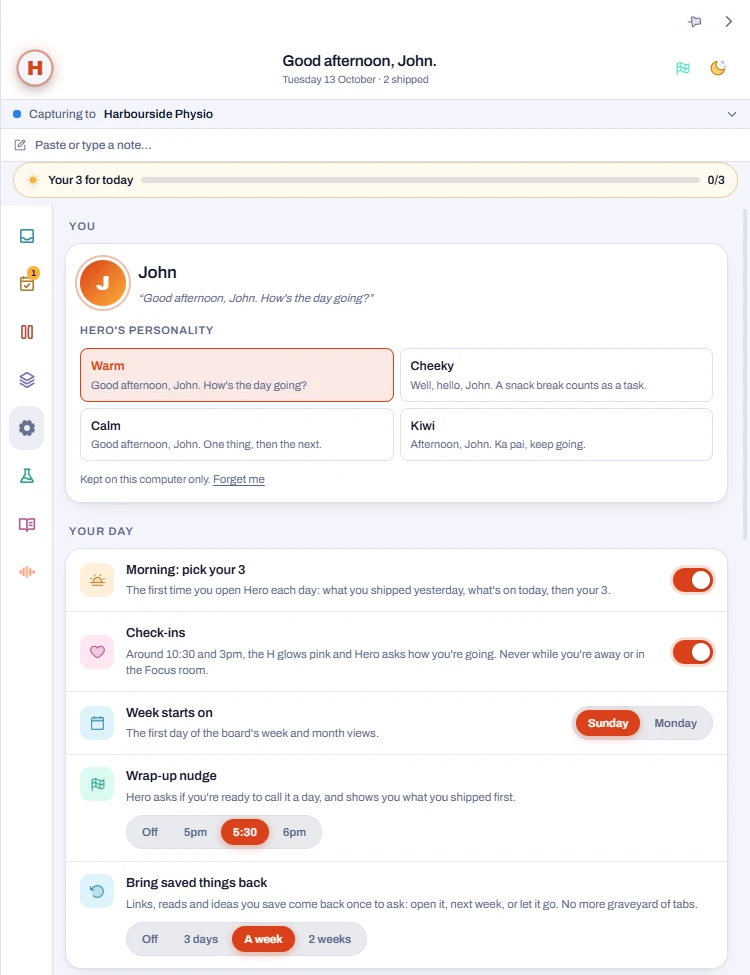
Talk to it.
Hold the H and ask: “what’s on Thursday?”, “move the bakery quote to Friday”, “draft a chase to Sam”. Hero answers out loud, with 50 tools across the app. It searches the web, reads your email and writes drafts — it never sends anything itself. Pick its voice and personality.
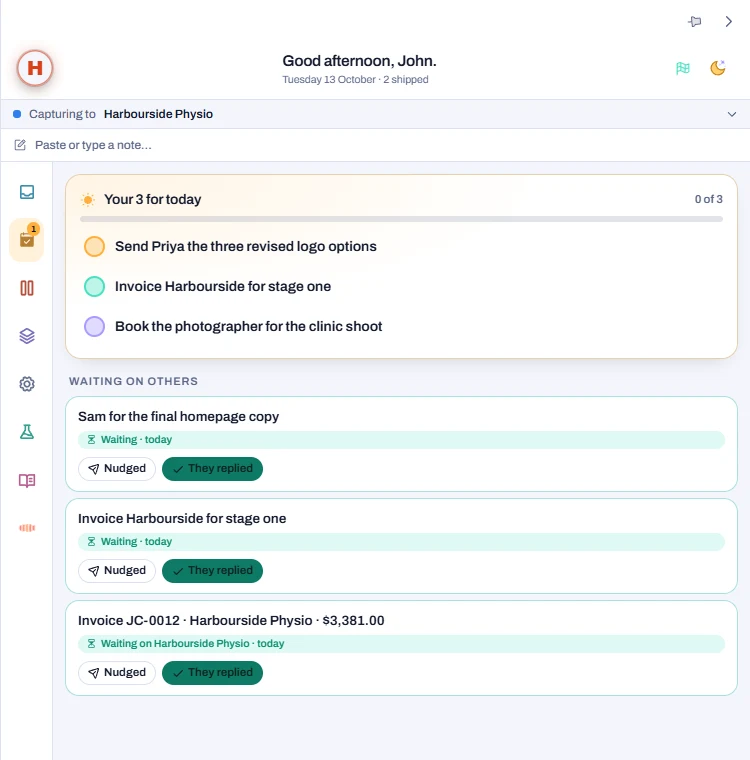
Your three, and who owes you what.
Pick three for today. Everything you’re waiting on — a reply, the final copy, an unpaid invoice — sits together, and Hero tells you when it’s time to chase. Connect Google and your calendar and Gmail join in: meetings get a heads-up, and a chase becomes a draft in Gmail.
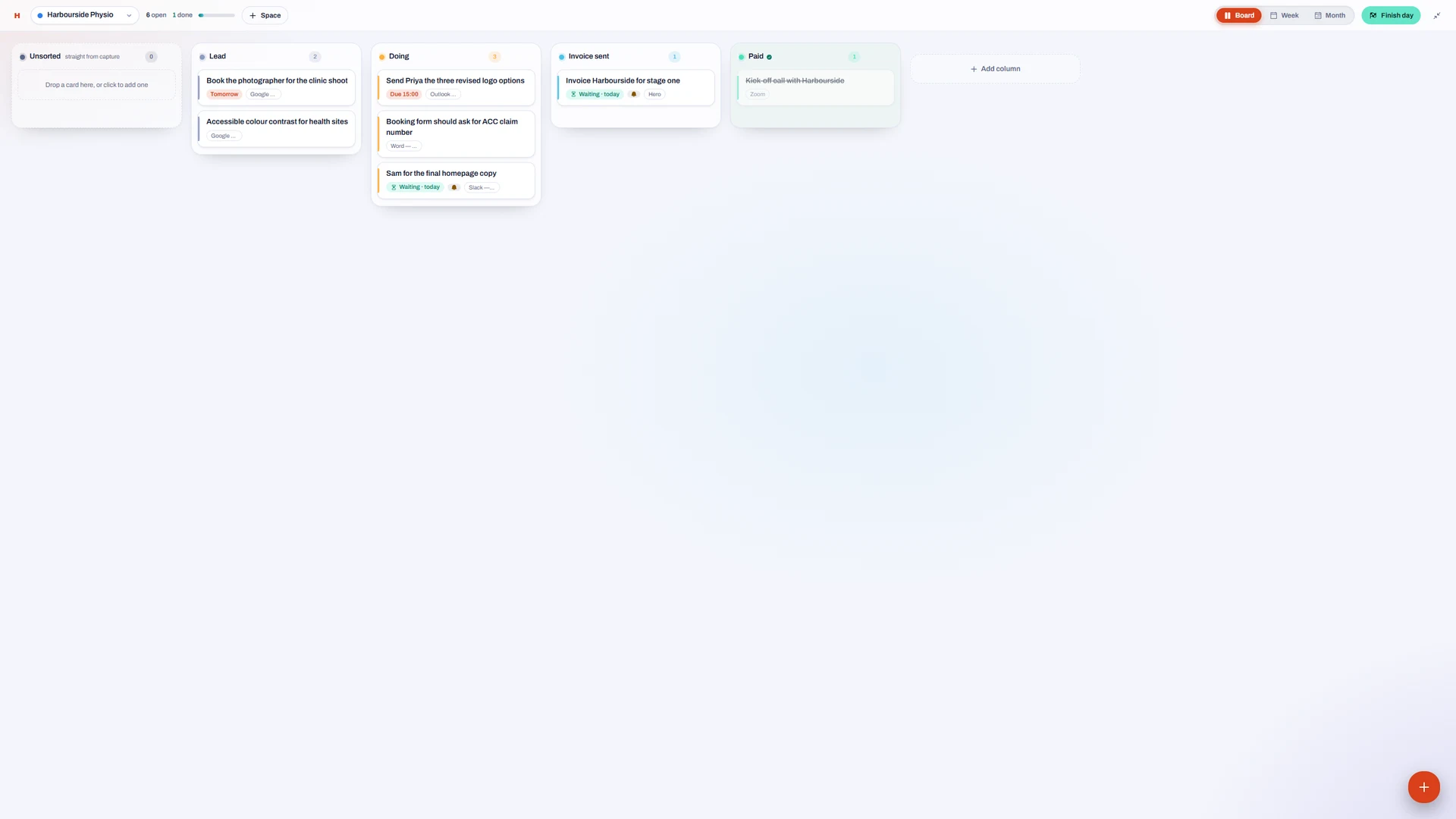
Every client gets a board.
Lead, Doing, Invoice sent, Paid. Move a card to Invoice sent and it becomes a waiting-on that nudges you in three working days.
The week, across every client.
Days are columns too. Drag a card onto Thursday and it’s due Thursday. Reminders ring at nine on the day.
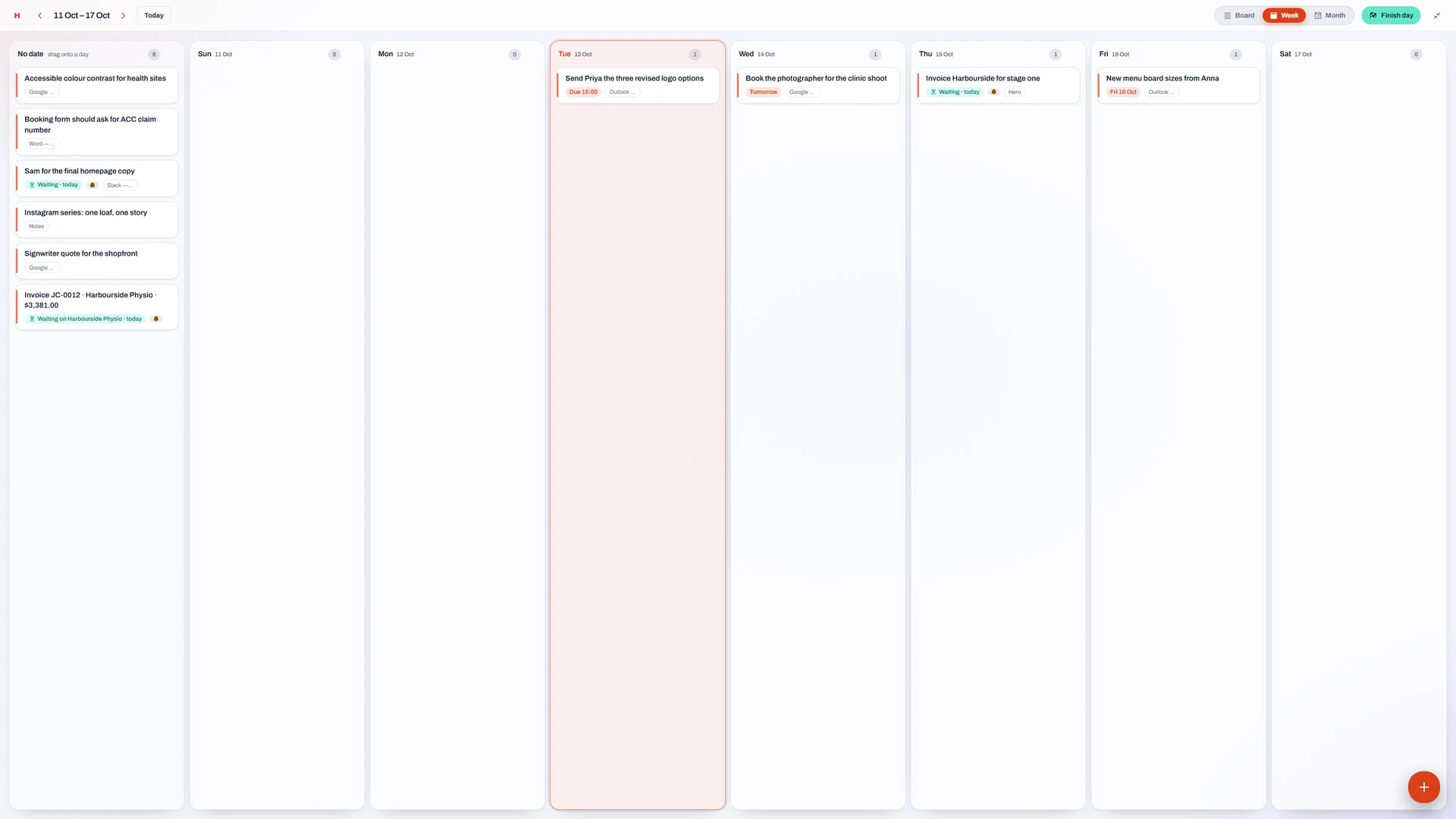
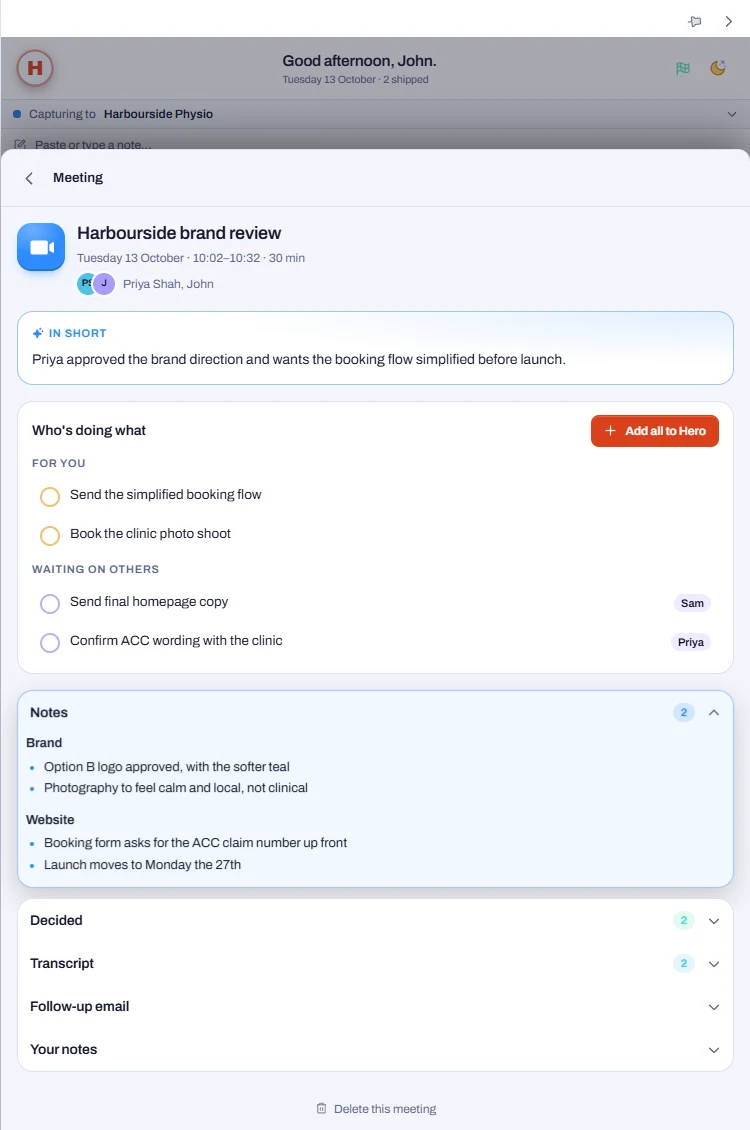
It takes the meeting notes.
When a Zoom, Teams or Meet call starts, Hero asks once. Afterwards: the summary, what was decided, who’s doing what, and a follow-up email ready to go. The audio is deleted.
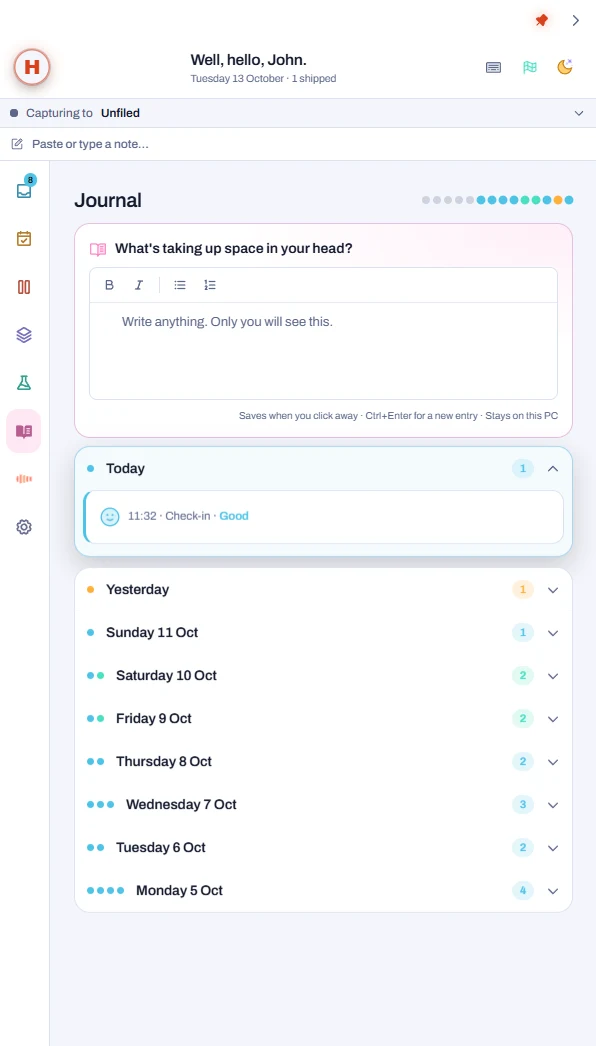
A journal that stays yours.
Twice a day Hero asks how you’re going. Anything you write lands in a private journal that never leaves the computer.
Small tools for when you’re stuck.
Invoices that chase themselves until they’re paid. A brain dump that sorts itself. A focus room with a timer and rain. And a one-minute game you earn by finishing things.

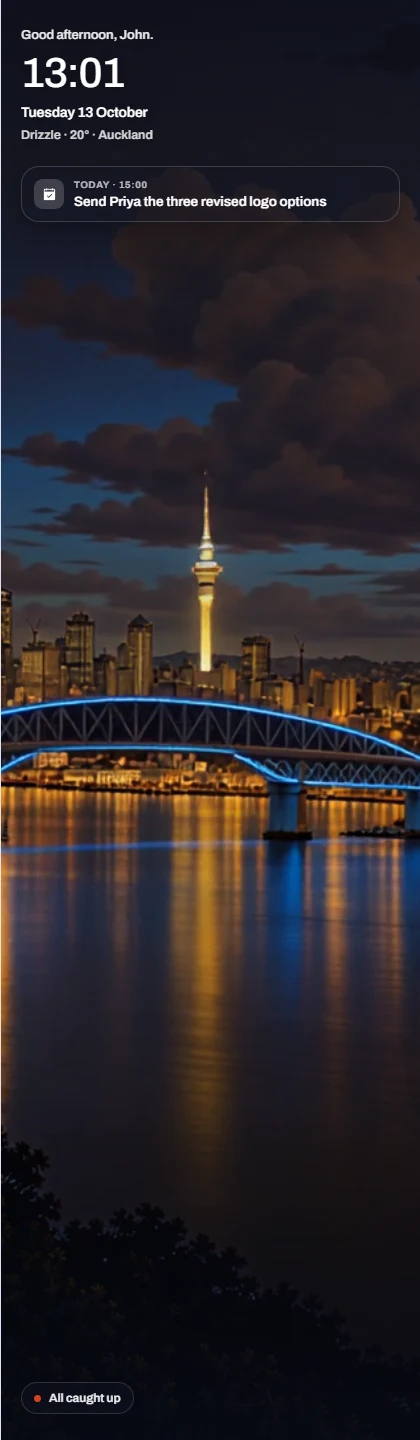
When you step away, it rests.
Leave the desk and Hero becomes a window onto your own looping scene — here, Auckland at night — with the time, the weather and what’s next.
03 · How it grew
Built around a working day.
This is what custom software is for. The asks below are paraphrased from the build log, in the order they came.
- 6 Sept
“Capture from any web page.”
A Chrome extension: three seconds from page to task, filed under the client, linked back to its source. Cloud sync and sign-in.
- 29 Sept
“Not just the browser. Everything.”
A Windows app docked to the screen edge that captures from any program, and works without an account. The panel is shared with the extension, so both stay in step.
- 3 Oct
“I need to see my week.”
A board for every client, Week and Month views, and reminders that ring on the day.
- 4 Oct
“To-do apps make me feel behind.”
Your three for today, a fresh start each morning, celebrations when things get done, and a "Finish my day" moment that celebrates before it carries anything over.
- 4 Oct
“Can it do my invoices?”
The Lab: branded invoices chased until paid — a sent invoice becomes a waiting-on — plus a brain dump, a focus room and an idea garden.
- 5 Oct
“I want to talk to it.”
A voice and chat assistant with 50 tools across the app: add, move and find things, search the web, read mail and write drafts. It never sends anything itself.
- 5 Oct
“Hook up my Google.”
One sign-in per account for Calendar, Drive and Gmail.
- 7 Oct
“Take my meeting notes.”
Hero notices a Zoom, Teams or Meet call, asks once, then transcribes, deletes the audio, and hands back the summary, the decisions and who's doing what.
- 12 Oct
“Understand how I write dates.”
"17 October", "the 21st", "in two weeks" — all read the way a person means them.
04 · Under the hood
One panel. Two homes.
- Commits
- 74
- Weeks
- 5
- Named operations
- 95
- Lines of code
- 38,172
Counted from the repository at commit b6dbf2a, not estimated.
One panel, two shells
The same interface runs as a Chrome extension with cloud sync, and as a Windows app that needs no account at all.
Your notes stay yours
On Windows, captures live in a database on your own PC. Voice and meeting features send only what they need, and only once you switch them on. The journal is never sent.
Named operations only
The interface can ask for "today's list"; it can never run raw database commands. A small surface is a safe one.
Motion is the product
Presses spring back, cards unfold, finishing something is celebrated. Calm, never busy.
Electron · React 19 · TypeScript · SQLite · Convex · Clerk · ElevenLabs · Claude
What would help your working day join up?
Tell us where information arrives, what happens next and what keeps getting repeated. We'll explore a system shaped around that workflow.