
Case study 04 · Invoices
Your invoices. No monthly bill.
Invoices, payments, expenses, GST and reporting in one custom app. Built for Windows and the browser, and used internally by MindLabs to keep business records together.
- Project
- Invoices
- We built
- Invoicing app for Windows and the browser
- Monthly fees
- None
- Status
- MindLabs runs its own invoicing on it
01 · The pain
Three logins to send one invoice.
Invoices, late payments, expenses and GST can end up spread across tools and spreadsheets. Invoices brings those records together, with local storage, clear payment status and the reports an accountant needs.
- A monthly fee for every tool, and for every extra user.
- Invoices in one place, expenses in another, GST in a spreadsheet.
- Chasing late payers by memory.
- Their own figures, held on someone else's servers.
The brief One app we own. Send an invoice, see who's paid, and have GST sorted at the end of each period.
02 · Try it
Explore Invoices.
Open an invoice, record a payment, add an expense or run the reports. Anything you change stays in your own browser.
03 · What it does
Money in, money out, and the books.
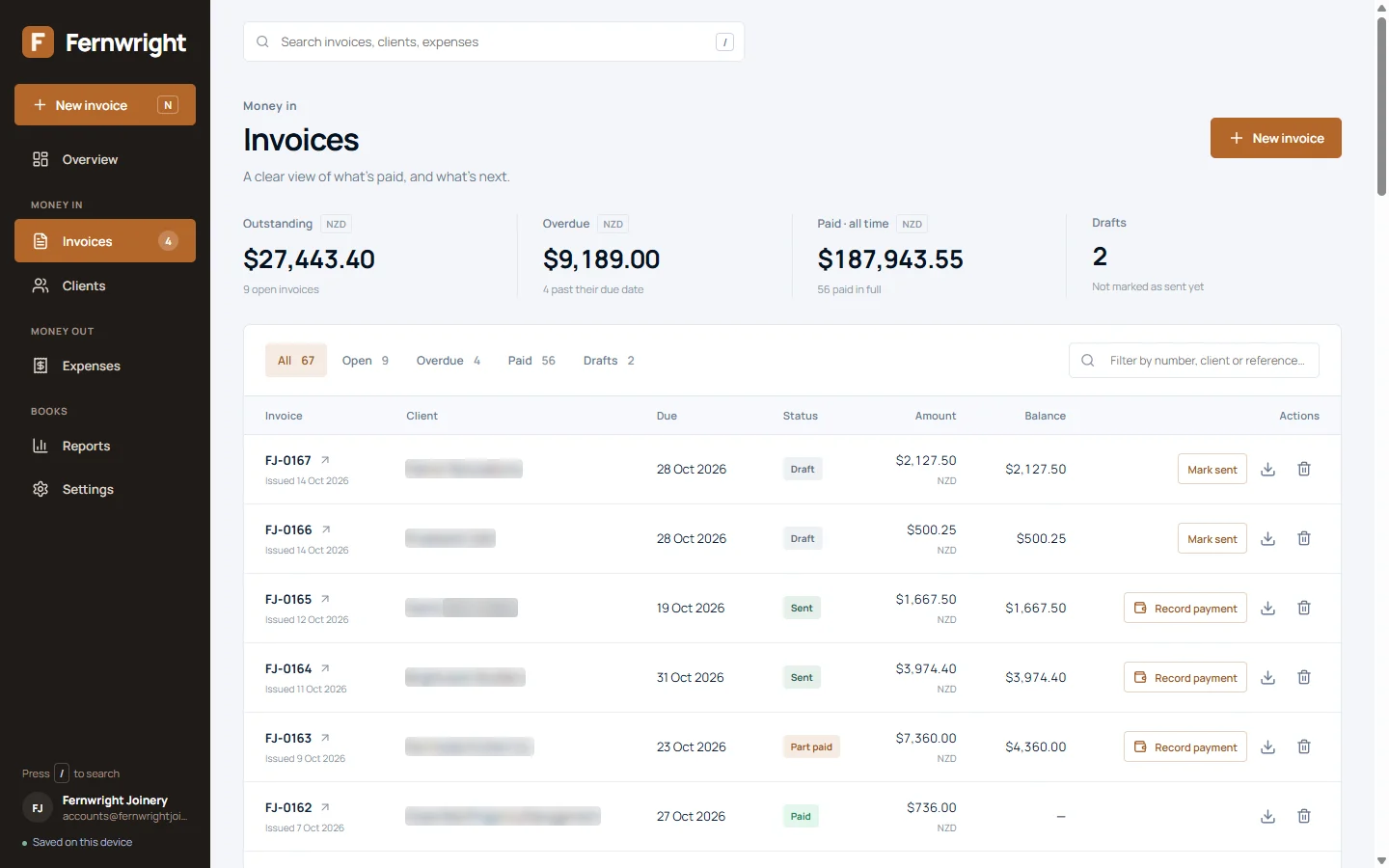
Every invoice, from draft to paid.
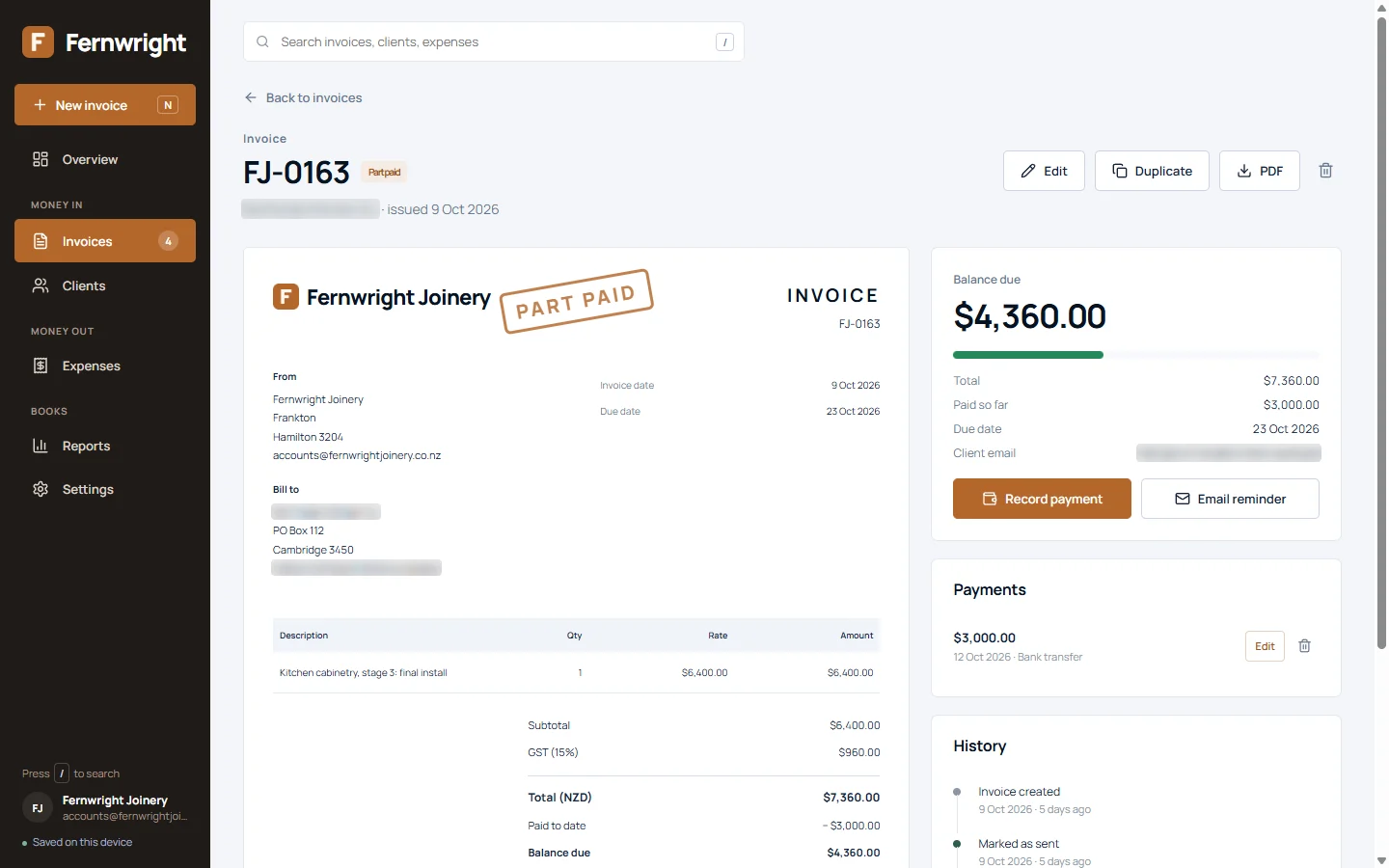
Draft, sent, part paid, overdue, paid. Record each payment as it lands, by amount, date and method, and the invoice keeps its own history. A PAID or PART PAID stamp shows at a glance.
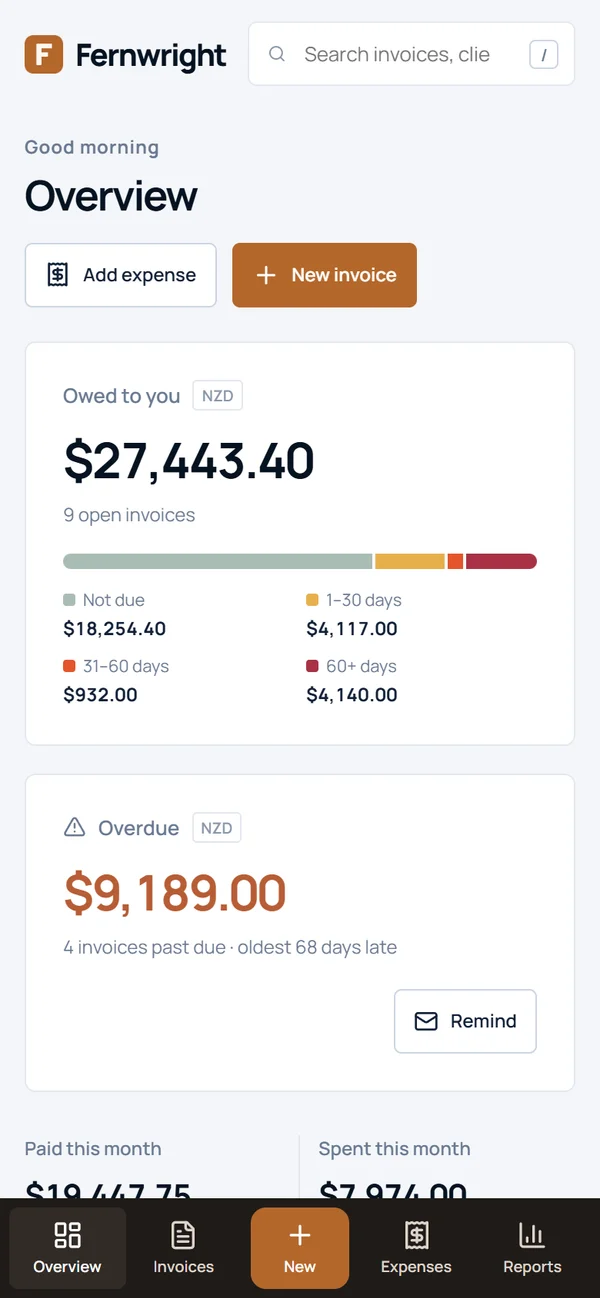
Who's paid, and who to chase.
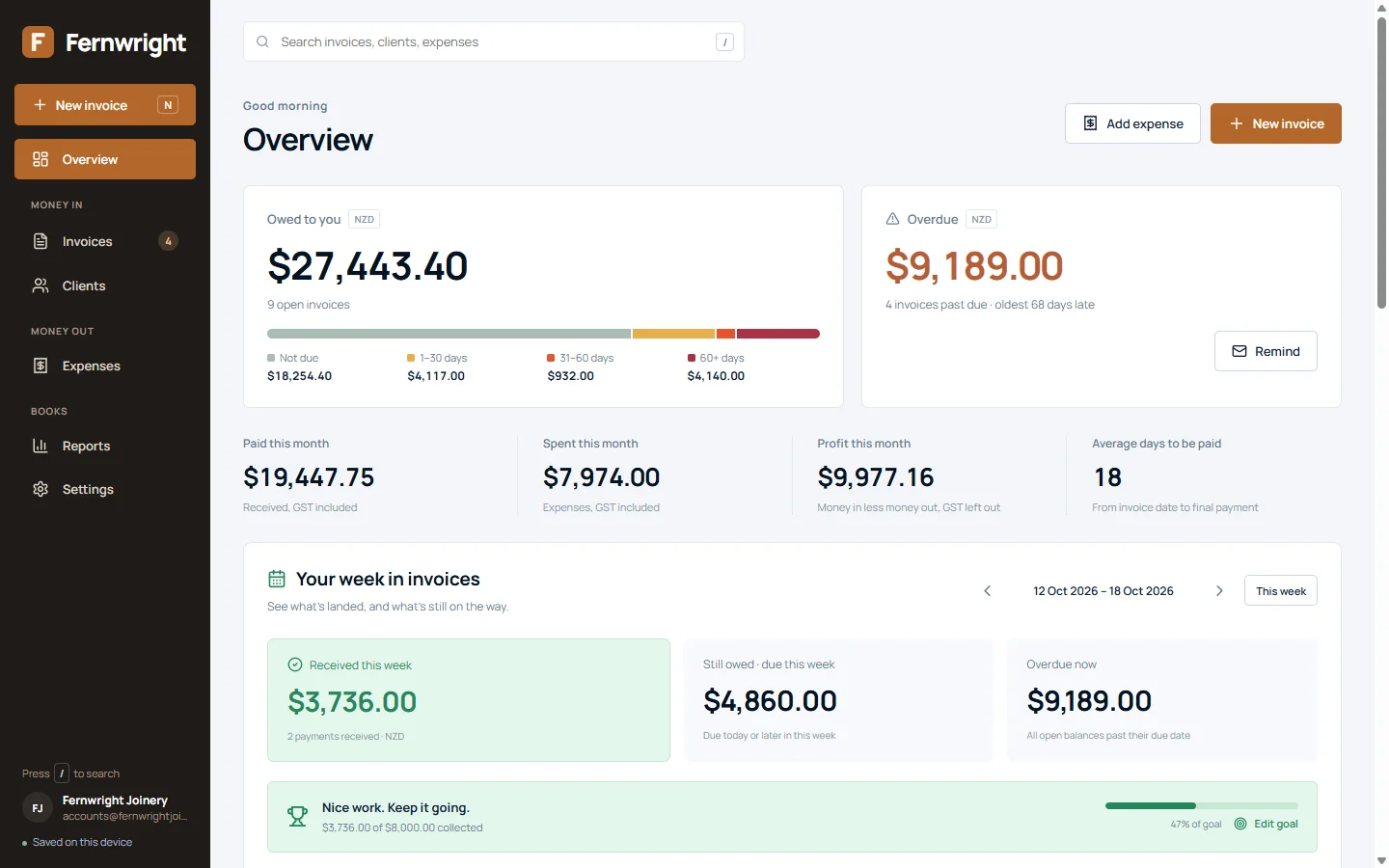
What's owed, how old it is and what's overdue, on one screen. One click opens a polite reminder in your own email, ready to send. Nothing goes out on its own.
Clients, and how they pay.
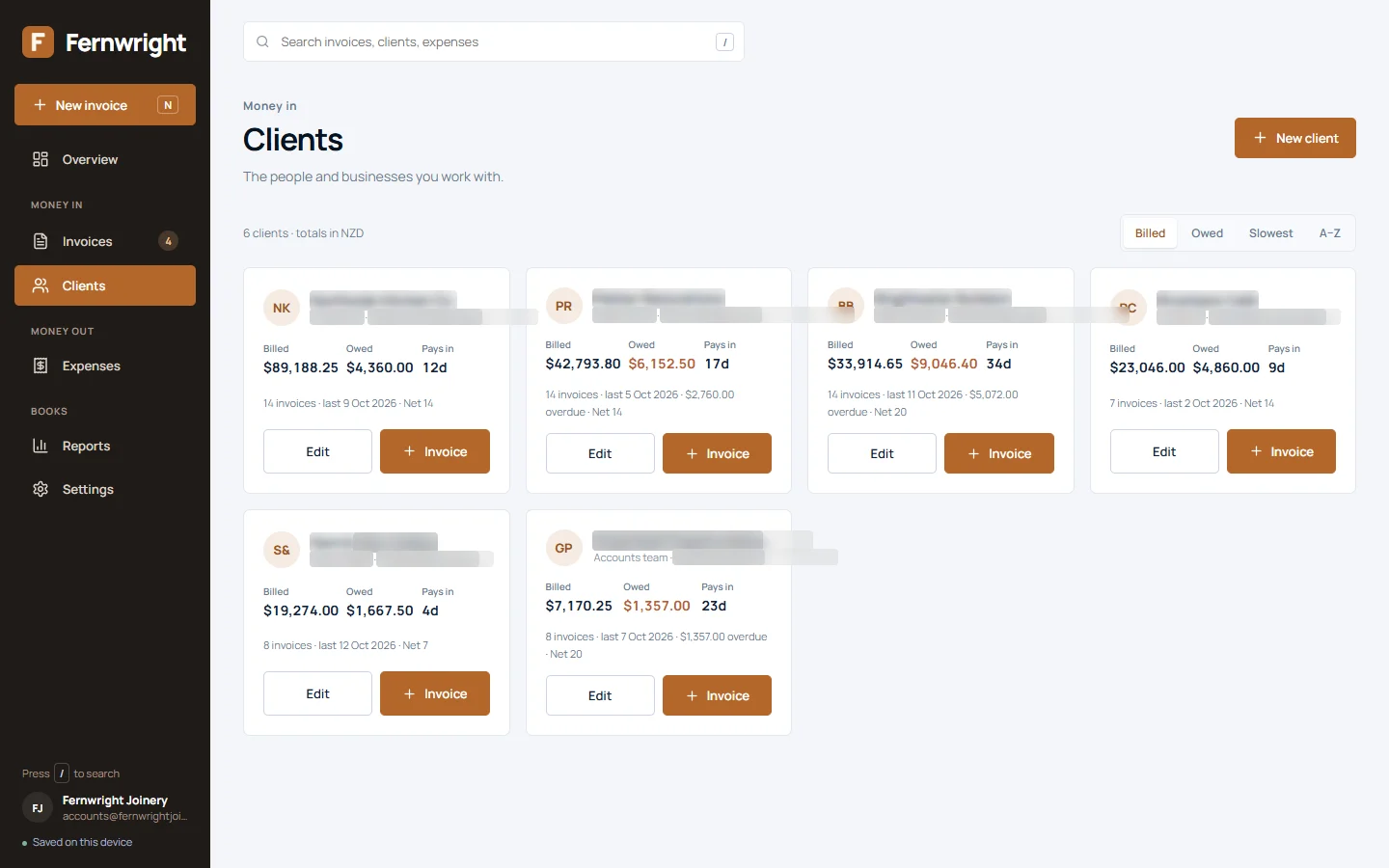
Each client shows what they've been billed, what they owe, and how many days they usually take to pay, so you know who to quote a deposit.
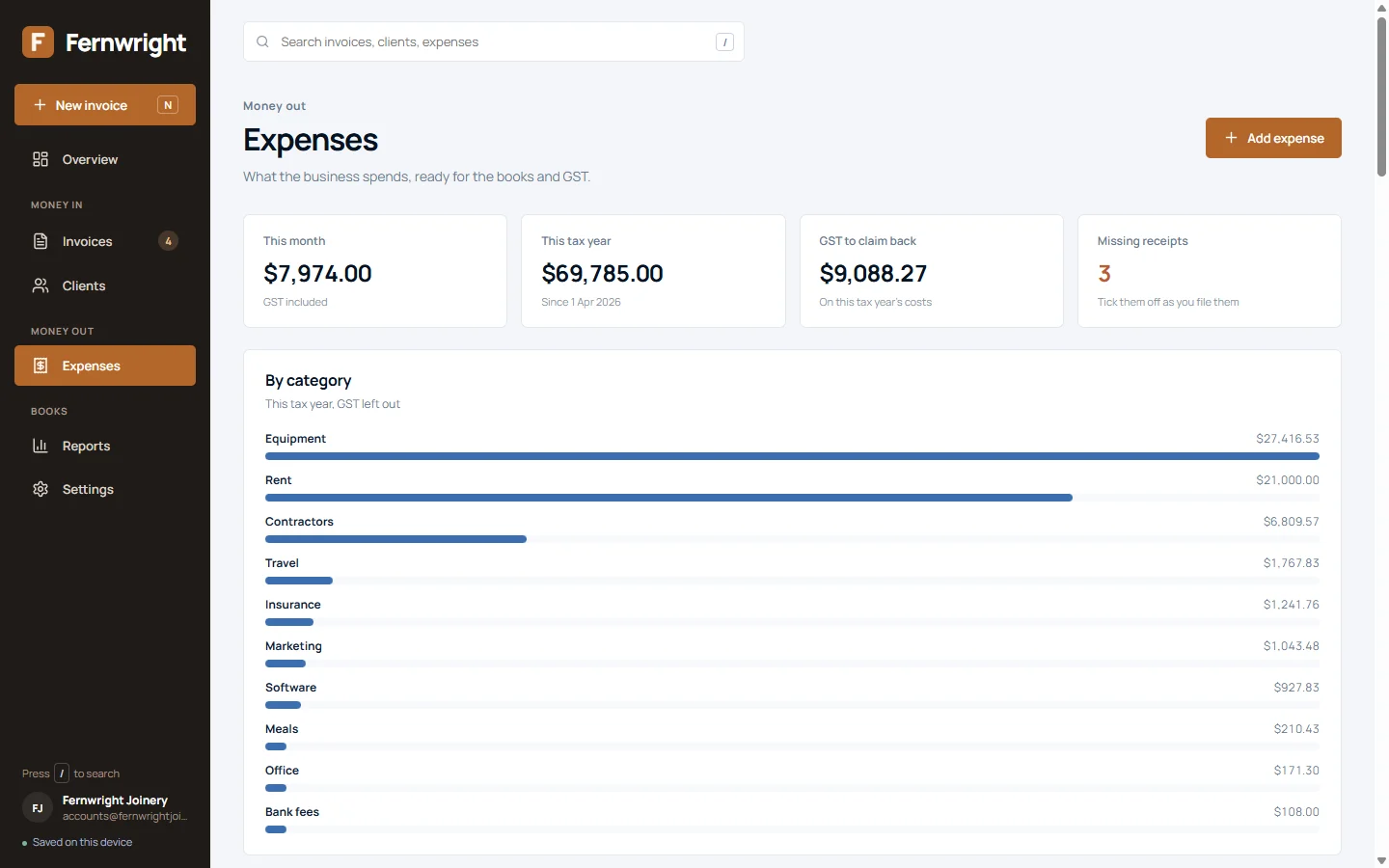
Expenses, with GST worked out.
Log what the business spends, by category, with the receipt kept. The GST you can claim back adds itself up, and missing receipts are flagged before the accountant asks.
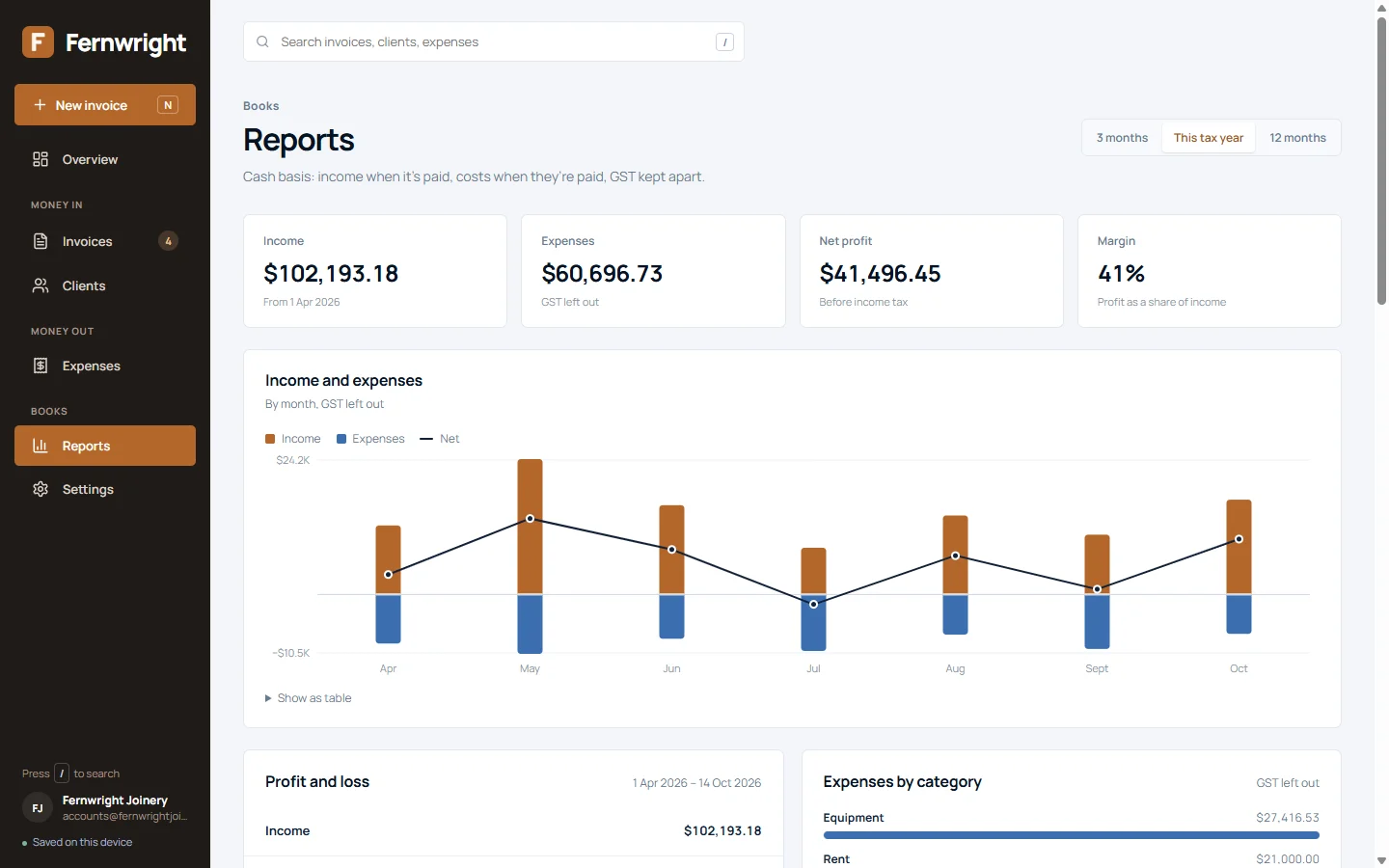
The reports the accountant asks for.
Income, expenses, profit and margin for three months, the tax year or twelve months. Profit and loss, who owes what by age, and GST by two-month period.
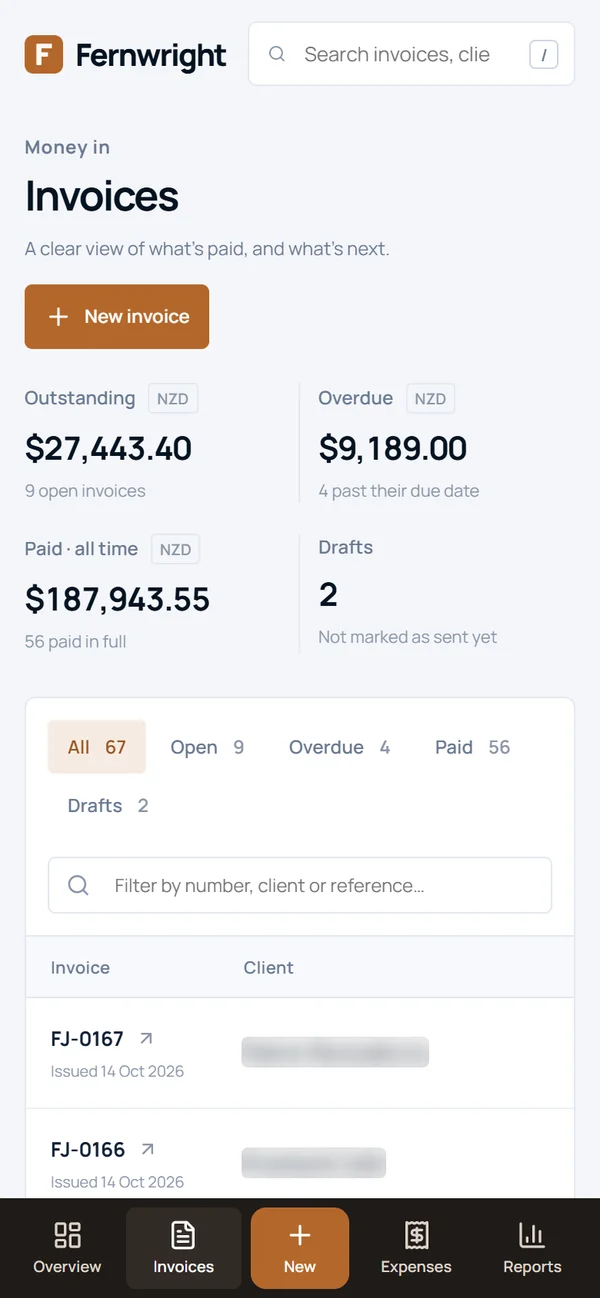
On the phone, too.
The browser version fits a phone, with a bar along the bottom for the screens you use most.
04 · Under the hood
Owned, not rented.
- Automated tests
- 28
- Screens
- 8
- Monthly fees
- $0
Yours, on your computer
A Windows app with no login and no internet needed. The records sit on the business's own PC, with a copy of the previous version kept every time you save.
Nothing sent behind your back
Reminders open in your own email for you to send. There is no server collecting your figures.
Numbers you can trust
Totals, part payments, aging, GST and the reports are covered by automated tests, so a change never quietly breaks the maths.
Branded PDFs
Every invoice downloads as a clean, branded PDF with the bank details and balance due, ready to attach.
React 19 · Electron · jsPDF · Manrope
What does your business need its admin to do?
Tell us how invoices, payments and records move through your business, and what they need to connect to.